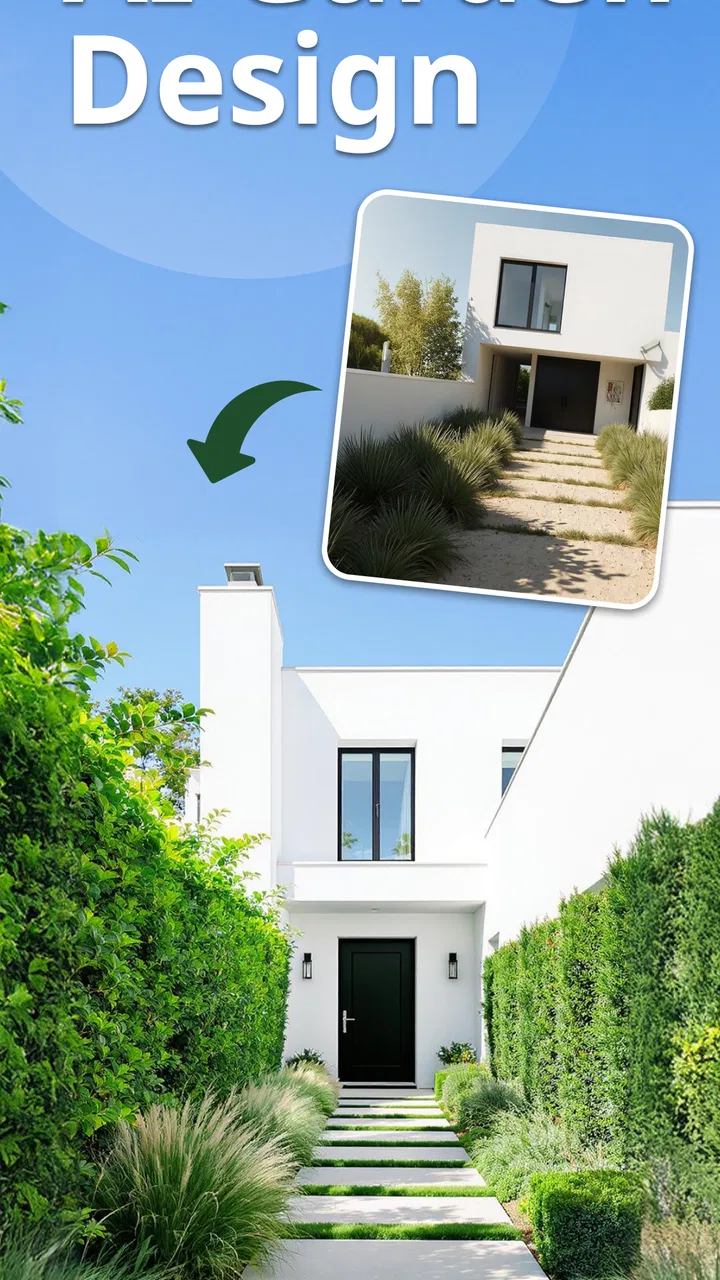
Landscape Design - AI Garden
- 4.5
- Rating
- 50.00K
- Installs
- Free
- Price

 Analysis by App-foxy
Planning a garden can be surprisingly difficult when the space is still empty. I can imagine a patio, a border, or a complete yard makeover in my head, but turning that idea into something I can actually compare is another matter. Landscape Design - AI Garden is aimed at that early planning stage. It is a free House & Home app from Identifier Studio that uses AI garden design and landscape-generation tools to help create outdoor ideas before I spend money on plants, materials, or professional advice.
After using it as a visual planning companion, I found its main value is not replacing a landscape designer. It is helping me move from vague inspiration to a more concrete conversation. I can explore a direction, notice problems in an arrangement, and decide what I want to keep or change. That makes it useful for homeowners, renters with outdoor space, and anyone who needs help getting started rather than someone looking for a complete construction plan.
What Landscape Design - AI Garden is really good at
Landscape Design - AI Garden works best when I treat the generated result as a visual draft. The store summary presents it as an AI garden design and landscape generator for outdoor ideas and yard makeovers, but that description should not be mistaken for a technical site-planning tool. An AI image can suggest a mood, planting style, or layout direction without knowing the exact drainage, sunlight, soil, local climate, underground utilities, or maintenance demands of a real yard.
You May Also Like

 AccuWeather: Weather Radar
AccuWeather Review: A Quick, Clear Forecast for Everyday Decisions
For everyday plans, the best forecast is the one you can understand quickly. AccuWeather makes rain timing, radar, and local conditions easy to act on, with a few trade-offs.

 Hill Climb Racing
Why Hill Climb Racing Still Turns Crashes Into One More Run
A tiny car, a bumpy hill and one more upgrade: Hill Climb Racing keeps resurfacing because its simple chaos makes every near-miss feel personal.

 AliExpress - Shopping App
AliExpress Makes Global Shopping Feel Personal, but Shoppers Bear the Risk
AliExpress turns a global marketplace into a pocket-sized discovery engine. Its reach is useful, its shopping loop compelling, and its trade-offs easy to miss.

 Lords Mobile: Kingdom Wars
Lords Mobile Is a Kingdom-Building Routine, Not a Quick Match
A case-by-case verdict on the building, battles, device demands, and social commitments that make Lords Mobile rewarding for some players and exhausting for others.

 PDF Scanner app - TapScanner
TapScanner Makes Paperwork Easier to Capture, Check, and Share
TapScanner makes scanning with a phone feel less like a rescue operation and more like a dependable step in getting work done. Its capture tools are useful, though not flawless.

 Block Blast!
 Shows How Much a Puzzle Game Can Leave Out
A quiet grid game shows why puzzle players increasingly value instant clarity, repeatable skill and low-pressure play—and where the genre still needs to catch up.
More From Our News Desk
View All News


That distinction matters because a beautiful image can create false confidence. I would use the app to answer questions such as, “Would a softer planting scheme suit this space?” or “Could this plain corner feel more welcoming with a seating area?” I would not use one generated picture as proof that a particular tree will thrive, that a retaining wall is safe, or that a paving arrangement meets local requirements.
The app is especially approachable for people who do not already know the vocabulary of landscape design. Instead of beginning with a blank drawing and a complicated library of symbols, I can begin with an idea and use visual results to discover what I like. That lowers the barrier to experimenting. It also gives me something more useful than a folder of unrelated garden photos: a starting point connected to my own outdoor space.
There is a practical psychological benefit here. Many garden projects stall because the owner is trying to make every decision at once. I found it more productive to separate the process into stages: first choose the overall feeling, then consider the arrangement, and only later investigate plant suitability and costs. The app fits naturally into that first stage, where visual exploration is more important than exact specifications.
How I would use it for a real weekend project
Imagine I have a small, tired-looking back garden with a paved area, a narrow lawn, and an awkward side boundary. Rather than asking the app to solve the entire property in one attempt, I would begin with one clear goal: make the garden feel more private without making it look crowded. I would compare a planted boundary, a more structured arrangement, and a relaxed seating-focused direction.
Once I had a preferred visual direction, I would inspect the image critically. Does the seating area leave enough room to walk? Are the plants shown at a size that would overwhelm the space? Does the design depend on a view or feature I do not actually have? This is where the app becomes more valuable than a passive inspiration gallery. It encourages a sequence of decisions, provided I remain willing to reject attractive but unrealistic details.
A useful habit is to save or note the elements that repeatedly appeal to me rather than focusing on one perfect result. If several designs suggest the same type of border, path, or planting density, that pattern may reveal my actual preference. I can then take that direction to a local nursery or landscape professional and ask better questions. The app does not need to produce a final blueprint to make the planning process more efficient.
For a rental, I would use the same approach but filter every idea through reversibility. A generated makeover may suggest built-in structures, permanent paving, or mature planting, while my real situation may call for containers, movable furniture, and temporary screening. The visual concept can still help, but I would translate it into changes I am allowed to make and willing to undo.
Where the AI approach saves time, and where it does not
The strongest time-saving feature is the speed of visual comparison. Traditional planning often means collecting images, sketching rough layouts, or learning design software before I can see a coherent idea. AI-generated concepts can shorten that first loop. I can test a broad direction, notice that it feels too formal or too busy, and adjust my thinking before buying anything.
That speed has a trade-off. The app may make the creative part feel easier than the practical part. A generated scene can combine mature plants, ideal weather, perfect lighting, and generous space in a way that is visually persuasive but difficult to recreate. I would therefore use the results as a conversation board, not as a shopping list. Every plant, structure, and surface still needs separate checking.
This is also why the app is not the best choice for a user who already has a precise measured plan and needs construction-ready documentation. A dedicated garden-design program, a scaled drawing, or a professional consultation would be more appropriate for dimensions, quantities, levels, drainage, and installation details. Landscape Design - AI Garden is better at helping me decide what I want than proving that the chosen solution will work.
Trust starts with knowing what I am asking the app to do
My trust in an AI design app depends less on the word “AI” and more on whether I understand the boundaries of its output. Here, the safest mindset is simple: I am requesting creative visual assistance, not a site survey or horticultural guarantee. That expectation protects me from treating an attractive result as expert validation.
The app is rated for Everyone, which makes it approachable for a broad audience, including families exploring ideas together. That age classification describes suitability, not accuracy or privacy. I would still make my own decisions about what images or details to provide, particularly if a photo shows the front of my home, a recognizable address, children, neighbors, or other personal information.
The app is free to download and use as an entry point, while in-app purchases range from $3.99 to $39.99 per item. That makes it important to pay attention to what is available without payment and what may be connected to a purchase before investing time in a particular workflow. I would explore the basic experience first, then decide whether any paid option genuinely improves my planning process.
The current version is 1.9.22, and the app requires iOS 11 or later. Those details are useful when deciding whether an older device can run it, but they do not tell me how well every generation will match my garden. I would still judge the output by practical questions: does it respect the visible shape of my space, does it preserve features I need, and does it give me ideas I can realistically investigate?
Data-sensitive moments deserve deliberate choices
The most sensitive moment is likely to be adding an image of the property. A garden photo can reveal more than plants and paving. It may show the front elevation, neighboring homes, a vehicle, a house number, or the layout of a private outdoor area. Before using such an image, I would crop out anything unrelated to the design task and avoid including identifying details whenever possible.
I would also take a few seconds to review the visible permission prompts and account choices presented by the app on my device. I do not assume that an app needs every possible access simply because it can create a design. If a photo picker lets me select one image instead of granting broad photo-library access, I would prefer the narrower option. If an account is optional, I would consider starting without one until I know that an account adds something I actually need.
Those are not accusations about the app; they are sensible habits for any tool that works with images. The relevant principle is user control. I should know which photo I am selecting, whether I am sharing a personal scene, and whether I can remove or replace that input later. When an app presents clear choices, I can make an informed decision rather than accepting access automatically.
I would apply the same caution to screenshots and sharing. A design image intended for a contractor or friend does not need to include the full original view of the property if a cropped version communicates the idea. Keeping a separate, cleaned-up reference image also makes it easier to compare concepts without repeatedly exposing the entire setting.
Keeping control over the design process
AI tools can subtly push users toward accepting the first attractive result. I avoid that by writing down the non-negotiables before generating ideas. For example, I might need a clear route to the shed, space for bins, low-maintenance planting, or a safe surface for children. Any concept that ignores those requirements is not a successful design, no matter how polished it looks.
I also recommend separating inspiration from commitment. First, collect a small group of directions. Next, identify the shared features. Finally, verify those features outside the app. This workflow prevents the AI image from becoming an expensive impulse. It also gives me a way to explain my preferences to a professional without claiming that the image itself is a technical plan.
Another useful check is to look at the garden in different seasons. An AI concept may communicate a summer atmosphere especially well, but my real garden has winter structure, autumn maintenance, and periods of poor weather. I would ask whether the proposed arrangement still makes sense when flowers fade, leaves fall, or the seating area is not being used. If the idea only works in one ideal image, it needs more thought.
Maintenance is another area where I keep control. A dense, layered planting design may look welcoming but require regular pruning, watering, and replacement. If I have limited time, I would translate a lush result into fewer plant types, clearer access, and manageable sections. The app can help me recognize the style I prefer; it cannot decide how much weekend work I am prepared to do.
Who should try it, and who should choose something else
I think this app is a good fit for a homeowner at the idea stage, especially someone who keeps changing their mind or struggles to imagine how an outdoor space could look after improvements. It is also useful for preparing a discussion with a gardener, collecting a visual brief, or comparing a few broad styles before visiting a nursery.
It may suit a person with a blank balcony, courtyard, front garden, or modest yard better than someone managing a large, technically complicated property. Smaller projects are easier to interpret as visual experiments. For a major renovation involving slopes, water management, walls, electrical work, or planning restrictions, I would move quickly from the app to qualified local advice.
I would skip it if I want a plant database, exact species recommendations, a maintenance calendar, or a measured construction plan. I would also be cautious if my main goal is to calculate quantities and costs. An AI image can make a project feel defined while leaving the expensive practical questions unanswered. In those cases, a specialist tool or professional is the better investment.
The app has attracted an average rating of 4.5 from around 2.4 thousand ratings, with over 50 thousand installs. I read that as evidence that the concept is resonating with a meaningful group of users, not as a guarantee that every generated result will suit every garden. My own recommendation would depend on whether the user wants creative direction or technical certainty.
My final view after weighing the useful parts
Landscape Design - AI Garden is most convincing when I use it as a low-pressure sketchbook for outdoor ideas. It helps turn a difficult blank page into several visual possibilities, and that can make a garden project feel less intimidating. The best results come from asking focused questions, comparing alternatives, and checking every suggestion against the physical space and the work I am willing to maintain.
Its limitations are just as important. It should not be treated as a survey, planting guarantee, building specification, or substitute for local expertise. The free starting point is appealing, but I would review purchase choices carefully before paying for more. I would also make deliberate decisions around photos, permissions, account controls, and sharing, especially when the images reveal private parts of a home.
My cautious recommendation is to try it for inspiration, not certification. If I were helping a friend redesign an ordinary outdoor space, I would suggest using the app to discover a direction, keep personal images tightly controlled, and then verify the practical details with reliable horticultural or professional advice. That combination gives the AI room to be creative while keeping the final decisions firmly in the user’s hands.
FAQs for Landscape Design - AI Garden
01What features does Landscape Design - AI Garden offer?
Landscape Design - AI Garden provides a range of features to help users design their perfect outdoor space. These include AI-powered design suggestions, a vast library of plants and garden elements, 3D visualization tools, and the ability to customize designs with ease. The app also offers tutorials and tips to assist both beginners and experienced gardeners.
02Is Landscape Design - AI Garden suitable for beginners?
Yes, Landscape Design - AI Garden is designed to be user-friendly for both beginners and seasoned gardeners. It offers guided tutorials, AI suggestions for design improvements, and an intuitive interface that makes it easy to create and customize garden layouts without prior experience in landscaping.
03Does the app require an internet connection to function?
While some features in Landscape Design - AI Garden, such as downloading new plant libraries or accessing AI design suggestions, may require an internet connection, the core functionalities like basic designing and visualization can be used offline. This makes it convenient for users to work on their designs anytime, anywhere.
04Are there in-app purchases or subscriptions in Landscape Design - AI Garden?
Landscape Design - AI Garden offers a free version with essential features, but it also includes in-app purchases for advanced tools and plant libraries. Users can opt for a subscription model to access premium content, exclusive design templates, and regular updates, enhancing their design capabilities.
05How does the AI feature enhance the garden design process?
The AI feature in Landscape Design - AI Garden analyzes your design preferences and suggests improvements or alternatives. It helps optimize layout, plant selection, and aesthetic appeal based on current trends and environmental factors. This personalized guidance ensures users can achieve professional-looking results efficiently.
Pros
- User-friendly interface for easy navigation.
- AI suggestions enhance design creativity.
- Wide range of plant and material options.
- Real-time 3D rendering of designs.
- Offline mode available for convenience.
Cons
- Limited free features in basic version.
- Occasional lag on older devices.
- Subscription required for premium content.
- No direct export to CAD software.
- AI suggestions can be repetitive.

Landscape Design - AI Garden
Gallery